Who this is for
This guide is for human resources and organisation leaders who commission visit protocols, reception procedures and lone-working arrangements. Typical readers work in housing associations, local authorities, care and support, charities and trades.
Team leaders and frontline staff use it once policy exists. They should not be asked to invent the legal position on a doorstep. Name the nation before you name a duty. Ireland is not covered by the UK General Data Protection Regulation.
- Home visits
- Reception
- Enforcement
- Public space
- Telephone contact
What this covers
Covered here
Visible, hidden, remote and livestreamed capture of staff by residents, visitors, auditors and passers-by. Doorbells, indoor cameras, smart speakers, hidden phones, livestreaming and distance recording. What staff do in the moment. What the manager records at the scene.
Not covered here
This is not legal advice. It does not give staff a general right to refuse being recorded. It does not say recording is always lawful. It does not own doxxing, pile-ons or family targeting. It does not own employer body-worn camera purpose, data protection impact assessment, activation policy or footage governance.
Employer-issued cameras are covered in body-worn cameras at work. Later online naming, edited clips and doxxing are covered in protecting staff from online targeting and harassment.
Policy for staff who may be recorded
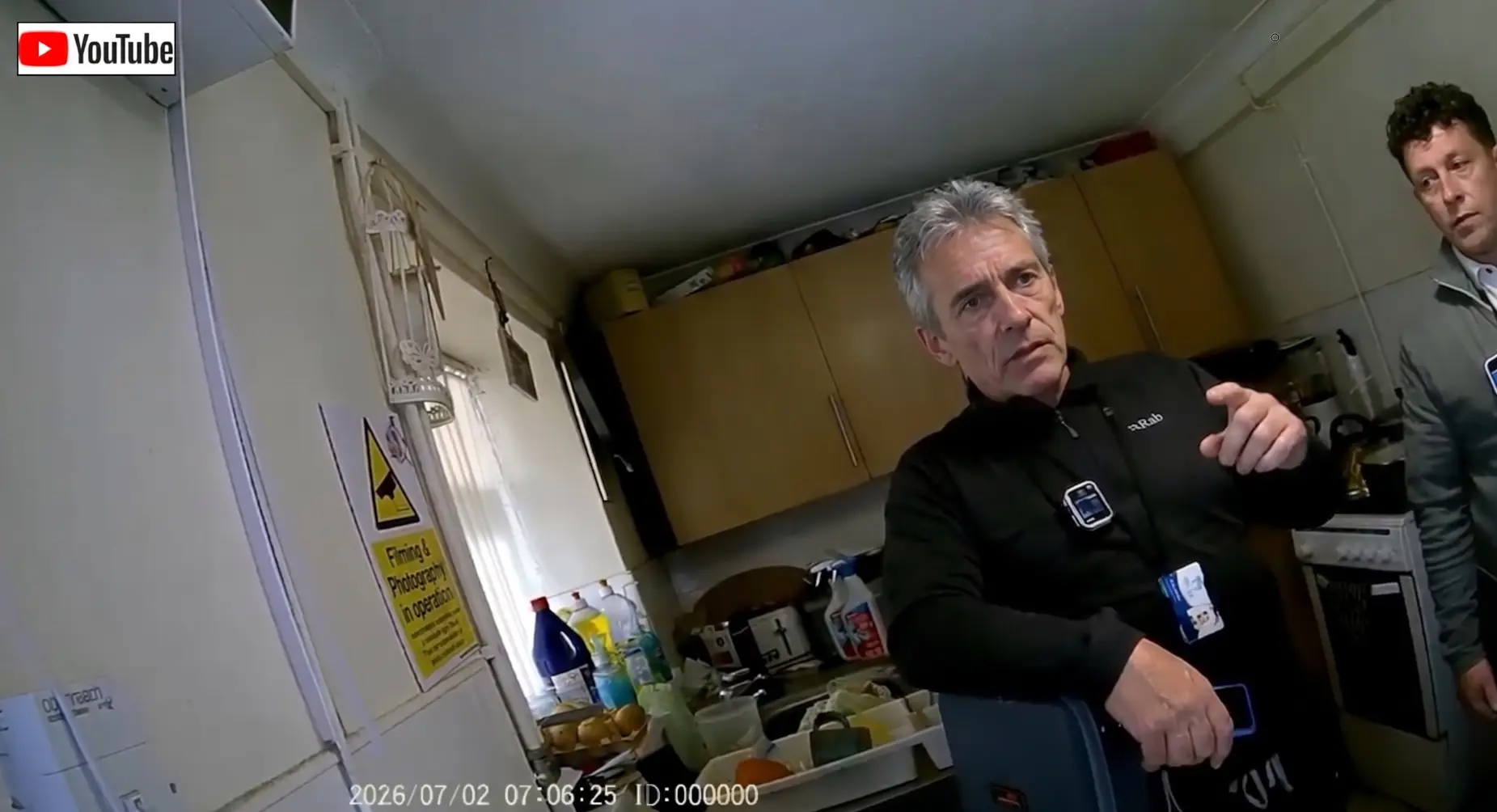
Write camera-awareness into visit planning and lone-worker briefings. Reception and public-space procedure should say what staff do when a visitor films the desk. The control is not a debate about legal rights. It is a standard for how staff behave, what information they protect and when managers take over.
Protect sensitive information first. Names, addresses, case details, health information, safeguarding concerns and personal comments should not be discussed where the setting is unsuitable. Move the conversation, pause it, or take it to another method of contact.
Staff must not seize or interfere with a device. They must not search a home for a hidden phone. They must not demand proof that someone is not recording.
After the event, record the facts: date, time, location, context, device type if known, whether sensitive information may have been captured, and the worker's welfare. Escalate through the reporting route. Do not leave the worker to challenge the recording alone.
Three in-the-moment rules- stay professional;
- do not seize or interfere with a device;
- do not debate recording itself.
Legal geography
A resident recording in their own home is a different legal question from the employer recording workers. Do not dump Information Commissioner's Office (ICO) body-worn camera rules onto a household doorbell.
Many doorbell and indoor systems are domestic. Household-exemption material may be relevant to that person's processing. It is not a free pass for the employer to ignore staff welfare, or to copy and circulate the footage.
If staff or managers take photos, keep clips, store doorbell stills or share images, that is processing under the UK General Data Protection Regulation and the Data Protection Act 2018. Irish organisations follow the European Union General Data Protection Regulation and the Irish Data Protection Act 2018. Do not say UK General Data Protection Regulation on an Irish notice.
A hidden phone in a resident's home is covert to the worker. It is not automatically covert monitoring of workers under Information Commissioner's Office employment guidance. Staff must not search for or seize devices.
A data protection impact assessment is not required because a resident has a doorbell. It is in scope if the organisation introduces its own systematic recording, or systematically harvests third-party footage. That work belongs on the body-worn cameras page or with information governance.
A person recording an interaction is not, by that fact, committing harassment. Harassment, if it arises, is a later or patterned question for the targeting page. Staff should not decide communications offences at the scene. If recording is used as sexualised or third-party harassment, use the legislation guide.Coming into forceEmployment Rights Act 2025 sections 20 and 21 commence on 30 October 2026 under regulation 3(a) and (b) of the Employment Rights Act 2025 (Commencement No. 6 and Transitional and Saving Provisions) Regulations 2026, statutory instrument (SI) 2026/1065. That covers all reasonable steps under Equality Act 2010 section 40A, and third-party harassment liability under Equality Act 2010 section 40(1A) to (1C). Commencement is confirmed by that SI, but those provisions are still not current law until 30 October 2026. Martyn's Law Part 1 premises duties are not in force.
Why people record
Context helps judgement. It is not the argument staff should have on camera. Not every camera is an attack. Treating it as one can make staff more defensive than they need to be.
Their own record
A resident may record a visit, dispute or enforcement action so they have their own record of what was said and agreed.
Accountability or routine capture
People may film public-facing work. Doorbells and smart-home devices often record everyone at the door rather than a particular visit.
Provocation or content
A recording may be intended to generate a reaction or a clip. The aim is the response, not a genuine record.
Intimidation
Recording can be used to make someone feel watched. Later publication belongs on the targeting page, not in a doorstep argument.
Six recording contexts
Recognise the setting, then choose the response. The aim is proportionate action, not confrontation. Indoor care and support devices need professionalism and confidentiality. This is not personal physical care advice.
Doorbells and external closed-circuit television
Ring, Nest and similar systems can capture arrival, doorstep conversation, vehicle details and staff identity. Use professional doorstep language. Avoid discussing sensitive matters until the setting is appropriate.
Internal cameras and home devices
Internal closed-circuit television, pet cameras, baby monitors and Wi-Fi cameras may record inside the property. If confidentiality matters, ask to move location or arrange a different method of contact. A later complaint that refers to comments made inside the home is why camera-awareness starts at entry, not only at the door.
Smart speakers and listening functions
Voice assistants and drop-in functions can create uncertainty about who is listening. Avoid side comments, names, case details and informal remarks that would be damaging out of context. A kitchen or hallway remark can be overheard through a connected monitor. Do not treat that as a reason to give personal physical care advice.
Hidden phones, watches and audio apps
A phone left face down, a smartwatch or a recording app may capture conversation without staff noticing. Do not search for or seize devices. Stay professional and record concerns through the reporting route.
Livestreaming and camera auditing
Some people record to provoke, test boundaries or generate content. Use a short boundary script. Call a manager early. Avoid debate for the camera. Reception staff need a script, a boundary and a manager route for audit-style filming.
Drones and distance recording
Drone recording, neighbour filming or recording from a nearby property can affect home visits, enforcement and public-space work. Preserve details of the location, time, operator if known, and any later publication. An engineer filmed from a distance still needs a manager to take the evidence, not a personal reply.
Artificial intelligence and deepfakes get one short note here. A clip that looks authentic is no longer proof that it is. Do not argue authenticity online. Preserve the original file where possible, report it, and do not take action against a worker on unverified material. Full authenticity and discipline rules live on the targeting page.
If you suspect recording
You do not need to prove that recording is happening. Protect the conversation, not the device. Keep sensitive information for a suitable setting. Do not ask someone to stop, hand over a device or prove that they are not recording.
If the setting or manner makes you genuinely uncomfortable, pause the conversation and involve a manager. On the telephone, assume a call could be recorded and keep the same professional standard. Train pause-and-move, not legal debate.
If content is later shared
Preserve the URL, platform, date and time. Do not pursue the person personally. Do not reply. Report it through the normal route. Tell the manager if it is causing distress.
Then stop. Later online harm, doxxing and pile-ons are covered in protecting staff from online targeting and harassment.
Professional boundaries
Do not photograph the visit on a personal phone. Do not befriend the client on Facebook after a filmed row. Informal posts after a visit can reveal family life, a school run or a home area next to a uniformed encounter.
No informal kitchen or hallway remarks that would be damaging if replayed. Gossip and unofficial sharing of clips sit with the legislation guide and recognising boundary drift.
Manager response
At the scene, or as soon as the report arrives, capture facts. Note the device type if known. Ask whether sensitive information may have been exposed. Check the worker's welfare. Do not seize a device. Do not argue in public.
Recording and publication risks belong in lone-working, public-facing and violence assessments, not only after an incident. For later targeting, doxxing or authenticity questions, use the targeting page.
Training
Safety Solutions Training does not run a standalone recording-risks course. Being filmed comes up in Conflict Management and Lone Worker Safety when the client needs that covered.
Training does not replace a visit protocol, a reception procedure or a manager who takes the report.
Official sources used for this page
Published 18 July 2026. Source check 30 August 2026. Next review 28 October 2026, or sooner if data-protection or employment rules change. Not legal advice.
This page is not legal advice. It does not decide liability, guilt, or the outcome of any particular case.
The law changes. A published or source-check date is not a promise that every later change has been caught. On the day you rely on this page, check the named statute, regulations and official sources. For UK law, start with legislation.gov.uk and the regulator named on this page. For the Republic of Ireland, start with the Irish revised Acts and the named Irish regulator.
Duties on this page apply only in the nations named here. Do not copy England or Wales wording onto Scotland, Northern Ireland or Ireland unless this page says that duty extends there.